RACES

RACES Logger by KB3HIY

Home Login Feedback Site Index
ARRL

Federal Communications Commission
MCRACES
Montgomery Co., PA
South Central PA Counter Terrorism
Task Force
Chester County, PA
Erie County, PA
New Castle Co., PA
Schuylkill County, PA
Sandoval County, NM
Marquette County, WI
Milwaukee County, WI
North/West County, WI
Scott County, IN
Dekalb County, GA
Fayette County, GA
Springfield County, IL
McHenry County, IL
District ARES, NH
East Rockingham, NH
Great Bay, NH
Hillsborough County, NH
Mt. Washington, NH
South Grafton County, NH
West Rockingham, NH
Baxter County, AR
Sebastian County, AR
Berkeley County, SC
Clarksville CATS, TN
Blount County, TN
Hamilton County, TN
Williamson County, TN
Heart of TN ARES
Erie County, NY
Nassau County, NY
New York City, NY
Queens County, NY
Orange County, NY
Penn Yan, NY
Rockland County, NY
Houghton County, MI
Macomb County, MI
York County, ME
Oregon ARES
Umatilla/Morrow, OR
Oregon Coast, OR
Coos County, OR
Marion County, OR
Tillamook County, OR
Burbank County, CA
Contra Costa Co., CA
Los Angeles, CA
Simi Valley County, CA
Wayne County, MA
Eastern, MA Sturdy Memorial Hospital
Brandon County, FL
Volusia County, FL
Pinellas County, FL
Hillsborough Co., FL
Sheriff's Tactical ARC

ESCA RACES, WA
Whatcom County, WA
San Juan County, WA
Franklin County, OH
Morrow County, OH
Portage County, OH
Sandusky County, OH
Heart of TN ARES
BC Wireless Society
Burnaby Radio Club
South West, KS
Clark County, NV
Manchester Co., CT
Cedar Valley, IA
Linn County, IA
Bexar County, TX
Collin County, TX
Denton County, TX
Garland County, TX
Tarrant County, TX
Tom Green Co., TX
Harris County, TX
Kaufman County, TX
North Central TX
Trauma Regional Advisory Council
CareFlite® North Central TDenton County TX Emergency Services

Barrie ARC, ON
Moose Jaw ARC, SK


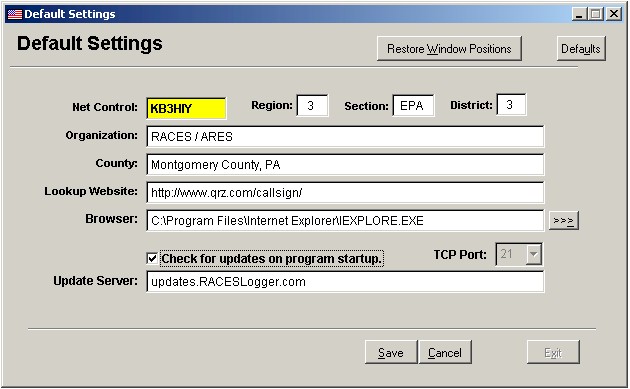
1.    When you first start RACES Logger the Quick Start dialog box appears, hi-light Default Settings and press the OK button.
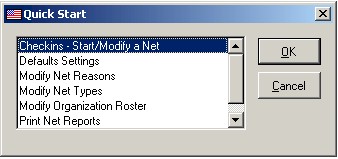
 

2.    This will display the Default Settings screen click on Edit with your mouse. In the Net Control field, enter your call sign. Update the Organization and County fields with your counties information. Click Save then Exit. Click here for information on downloading Automatic Updates.
 

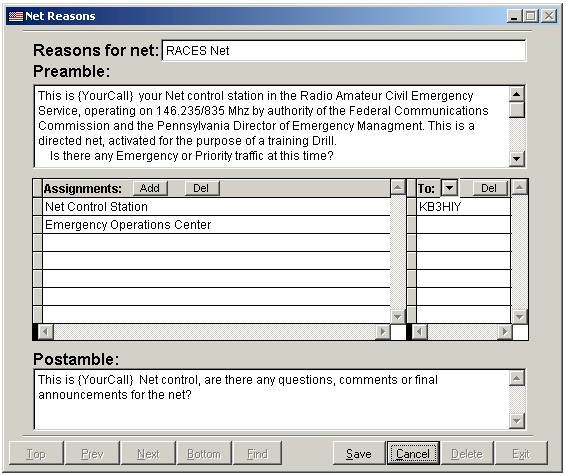
3.    From the File menu, select Quick Start to re-display the dialog box. Select Modify Net Reasons and click OK. Add, delete, or change the reason your county runs nets and pre-amble and post-amble for each. You can also added default assignments and stations for each. You can create as many reasons and assignments to reflect the different net scenarios for your organization.
 

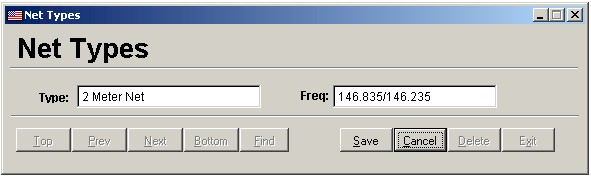
4.    From the File menu, select Quick Start to re-display the dialog box. Select Modify Net Types and click OK. Add, delete, or change the different net types your county runs.
 

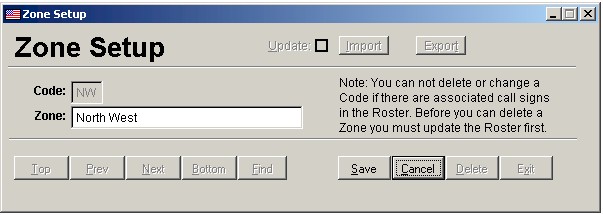
5.    From the File menu, select Quick Start to re-display the dialog box. Scroll down and select Zone Setup and click OK. Add, delete, or change zone information to match your  your counties zone assignments. You must assign a unique code for each zone. Click here for information on Importing and Exporting data.
 

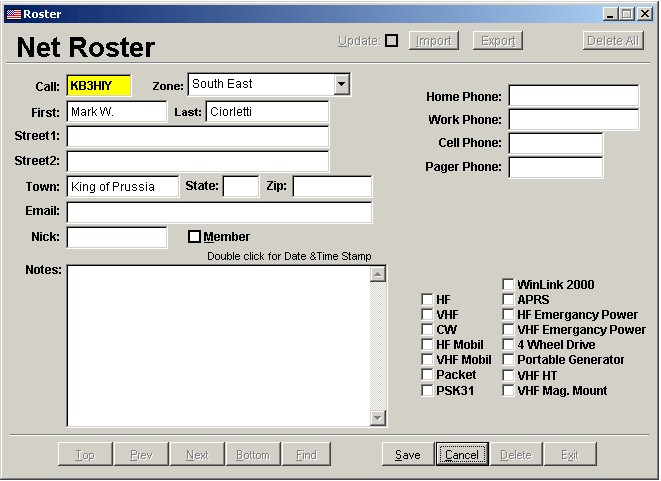
6.    From the File menu, select Quick Start to re-display the dialog box. Select Modify Net Roster and click OK. Add, delete, or change information about your organizations members. Each call sign in the must be unique. Duplicates not allowed. Click here for information on Importing and Exporting data.
Congratulations, you are now ready to start using RACES Logger. See Help for more information on running nets with RACES Logger.


US Safety Depot

HiPro Repeaters
HiPro Repeaters

Brocade

Banom

Laser Wizard

Help keep this
software free, become
a sponsor...

Special thanks to
 Doug, W3CF